
How to Access 1xBet on Mobile: Apps, Browser & PWA

Most guides about accessing 1xBet focus on mirror links and VPNs, but honestly, if you install the official app once, you may never need to hunt for a working mirror again.
The app connects to 1xBet's infrastructure directly, bypassing ISP domain blocking entirely. It's a one-time setup that saves you from the mirror hunt cycle.
I have it on my Android phone and my laptop, and I haven't needed a mirror link in months. Personally, I think the desktop app is the most underrated access method out there.
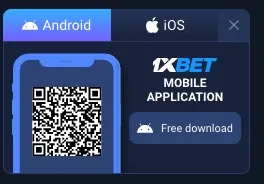
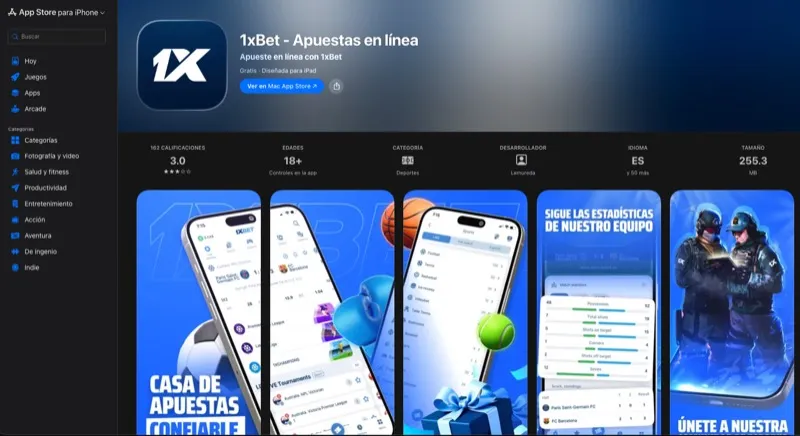
Official Download Links
Android Installation Guide
Enabling Unknown Sources
Android requires you to explicitly allow app installations from outside the Play Store. This is a one-time setting per browser.
Android 10 and newer: Settings > Apps > Special Access > Install Unknown Apps > tap your browser (Chrome, Firefox, etc.) > toggle "Allow from this source."
Older Android (9 and below): Settings > Security > Unknown Sources > enable. This applies globally on older versions.
Sideloading sounds scary if you've never done it. It's not. Amazon's app, Fortnite, and many banking apps in India do the same thing. You're just downloading an app from outside the Play Store.
Installing the APK
Download the APK from an official 1xBet mirror (use the button above). File size should be approximately 50-60MB. If it's 2MB or 500MB, something's wrong — don't install it.
Tap the downloaded file in your notification bar or file manager. Tap "Install." Wait for completion — takes about 30 seconds.
Open the app. Log in with your existing 1xBet credentials. Your balance, history, and settings should all be there.
I've installed this on a Samsung Galaxy, a Xiaomi Redmi, and a Pixel phone. The process is identical on all of them. Takes about 2 minutes total from download to first login.
Updating the App
The app checks for updates internally — no Play Store needed. When an update is available, the app shows a notification on launch. Tap "Update" and it handles everything. The March 15 update fixed the Android 14 login loop bug, so make sure you're current.
Android version requirements: Android 5.0 (Lollipop) or higher.
iOS Installation Guide
Region-Switching Method
The 1xBet app is available in App Stores of countries where it's licensed. To access it: Settings > Apple ID > Media & Purchases > View Account > Country/Region > change to Curacao or Cyprus.
Warning: this is cumbersome. It temporarily removes your current payment method and you might lose access to existing app purchases temporarily. I only recommend this if you're committed to having the native iOS app.
Progressive Web App Alternative
This is what I actually recommend for iOS users. Much simpler.
Open any working mirror in Safari (must be Safari, not Chrome on iOS).
Tap the Share button (square with up arrow at the bottom).
Scroll down and tap "Add to Home Screen." Give it a name. Done.
The PWA looks and feels like a native app — full screen, no browser chrome, its own icon on your home screen. iOS is the hardest platform for 1xBet access in restricted countries. Apple's walled garden makes sideloading impossible without jailbreaking. The PWA is your best bet.
Desktop App Features vs Browser
| Feature | Desktop App | Browser (Mirror) |
|---|---|---|
| Needs mirror URL | No | Yes |
| Push notifications | Yes | No |
| Loading speed | Faster | Depends on mirror |
| Survives mirror changes | Yes | No |
| Installation required | Yes | No |
| Works on shared devices | Less convenient | Better |
Windows: standard .exe installer. Mac: .dmg file. Both require allowing the unverified developer on first launch (Windows SmartScreen or macOS Gatekeeper).
I use the desktop app at home and mirror links when traveling. The app is better for daily use; mirrors are better for quick access from any device.
Mobile Browser Access (No Installation)
If you do not want to install anything, the 1xBet mobile site works perfectly in any browser. Navigate to any working mirror link on your phone and you get a fully responsive mobile experience. The mobile browser version supports all features: betting, deposits, withdrawals, live streaming, and account management.
The main downside is you need to find a working mirror each time. Bookmarking our working links page solves this -- check it whenever your current link stops working.
PWA Bookmarking (Best of Both Worlds)
A Progressive Web App (PWA) bookmark gives you an app-like experience without installing anything from an APK or App Store. On iOS, open a working mirror in Safari, tap Share, then "Add to Home Screen." On Android, open in Chrome, tap the three-dot menu, then "Add to Home Screen." The resulting icon launches 1xBet in a full-screen window with no browser chrome -- it looks and feels like a native app.
Is the App Better Than a Mirror Link?
Depends on how you use 1xBet.
App advantages: bypasses DNS blocks permanently, no need to find new mirrors, push notifications for live events, auto-updates.
Mirror advantages: no installation needed, works on any device instantly, no storage space required, good for occasional use on shared or public devices.
If you bet daily, install the app. If you bet occasionally or use shared/public devices, bookmarking our working links page makes more sense.
Verifying Your Download Is Genuine
- Only download from official 1xBet mirrors — never from APK repository sites, Telegram groups, or search engine ads.
- Check file size: Android APK should be 50-60MB. Not 2MB (just a phishing wrapper) or 500MB (bundled malware).
- After installation, verify by logging in — your balance and bet history should match exactly what you see on the website.
- If anything seems off, uninstall immediately, change your password, and read the safety guide.
Troubleshooting App Issues
"App Not Installed" Error
Usually means Unknown Sources not enabled for the correct app (your browser), insufficient storage space, or incompatible Android version (need 5.0+). Go back to Settings > Apps > Special Access > Install Unknown Apps and make sure your browser is listed and enabled.
App Crashing on Launch
Clear app cache: Settings > Apps > 1xBet > Storage > Clear Cache. If persistent, uninstall and reinstall from a fresh APK download. Make sure you're on the latest version.
Login Issues After Installing
Clear cookies in the app settings. Ensure you're using correct credentials. Check if 2FA is enabled on your account — you'll need the code. 1xBet pushed an app update on March 15 that fixed the Android 14 login loop bug — update if you haven't.